Setting up stores

For Commerce 2, we have native support for stores. Stores are used for invoicing, tax types, and any other settings necessary for understanding orders. This has many applications and its important to understand what use cases are supported out of the box and how that impacts checkout and other order workflows.
Create a store
To create a store you will need to have at least one currency imported, and then you can create a store.
Shortcut! - The getting started process can be quickly done using Drupal Console command:drupal commerce:create:storeYou are welcome to ignore this shortcut if you prefer the user interface.

Import the currencies your store will use.
The most basic piece of information that defines your store is the currency(s) you want to use. The vast majority of
Commerce stores will simply have one currency and one store. To set this
up, first you need to locate the currencies page at
admin/commerce/config/currencies

Next, click the Import tab
(admin/commerce/config/currency/import). The reason currencies need
to be imported is because we don’t want to store all the world’s
currencies in your database if we don’t have to, so we make no
assumptions and let each store request specific access to specific
currencies. The dataset is coming from the intl library which
generates its dataset from an international and frequently updated
standards body.
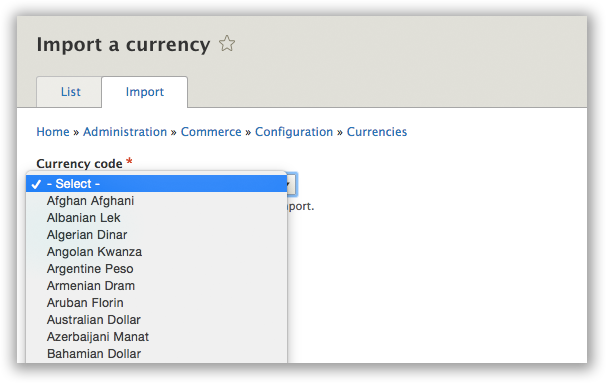
Once you’ve imported one or more currencies, you can move on to creating a store.
Create a store.

Next, we need to create a store. Every product requires one store. Additional details will be shared about the power of
having stores baked into the core of Commerce, but for now, all you need to do is define your store’s name, address, and select a few things about taxes and billing.
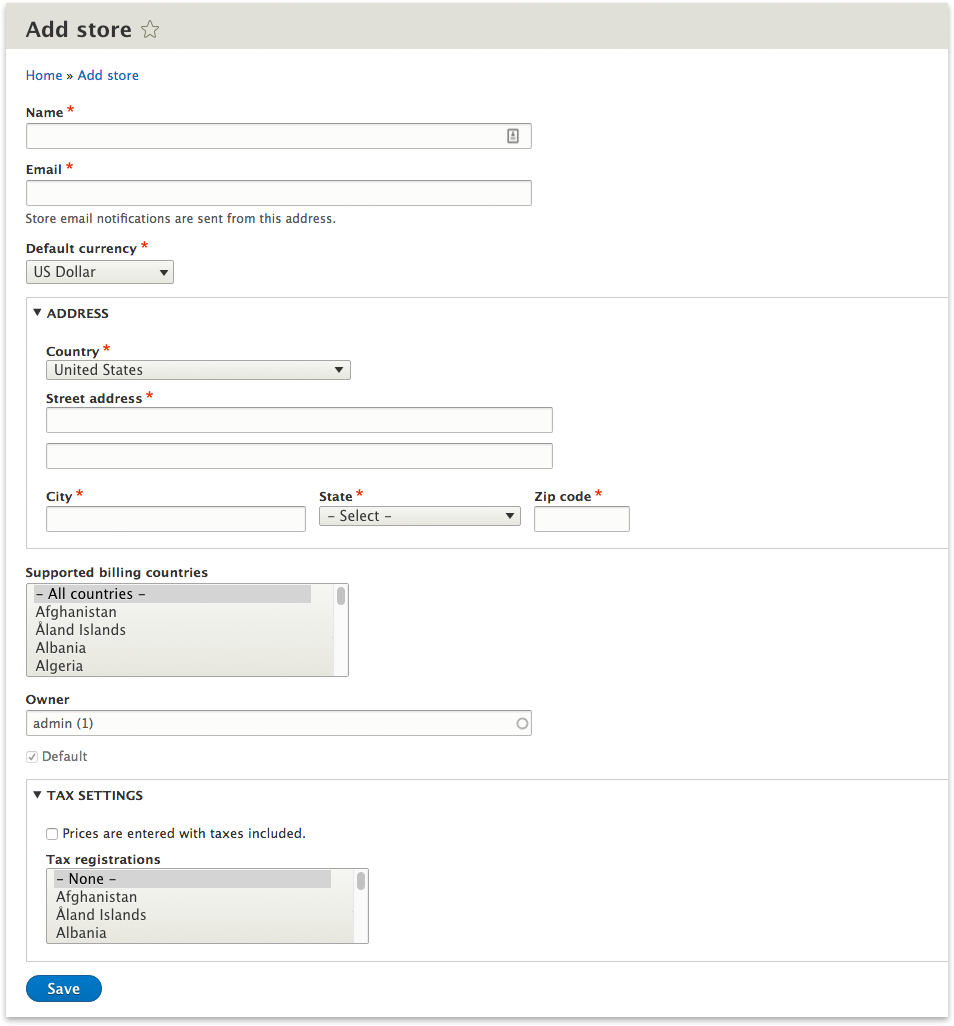
Once you’ve got all those details filled out, click save and move on to creating products! Woohoo!
Overview & Architecture

Orders will only ever have one store, and it is stored as an entity attribute.
- Carts (which are Orders with additional functionality) can only contain products from one store.
- You can use this architecture to limit which products can be put into carts together, based on physical location or for billing\/taxes purposes.
Products, by default, have an entity reference field that targets stores and allows one or more stores to be selected.
Stores are fieldable content entities (not configuration entities) that contain a lot of information about the physical location of the merchant. By default stores collect the following:
- Name
- Email Address
- Default Currency
- Address (used for determining taxes)
- Supported billing countries
- Owner
- Default status (used to select a store when one isn’t given)
- Tax information
Use Cases
We optimize for the two use cases:
- One business that has one or more locations
or
- The marketplace model (where you have sellers)
For these use cases and possibly others, it is up to the developer to fill in the gaps that are present in the order workflow. This is different from Commerce 1.x in that we will support stores by default, allowing for community contributions to extend the functionality instead of trying to build store functionality from scratch.
1. One or more locations
This is the most common eCommerce situation where we have a single person, company, or organization that is taking payments online.
2. Marketplace model
The marketplace model is where you have many sellers who are taking payment for unique products.
Stores and Carts
A customer can have one or more Carts (which are a type of Order), if they have chosen a product from different stores.